
Friends
Connect with other parents on Camp PlanIt so you can see which camps they're considering and plan together.
Friends & Directory are free for every account.
Why Add Friends?
When you're connected as friends on Camp PlanIt, you can:
- See which camps a friend has added to their planning (on the camp's detail page)
- Invite each other to Circles for group planning
- Coordinate carpools more easily when you're both attending the same camp
Finding Other Parents
- Tap Friends in the bottom navigation bar.
- Type a parent's name or city into the Search by name or location bar at the top.
- Results appear below — tap a person's name to view their profile.
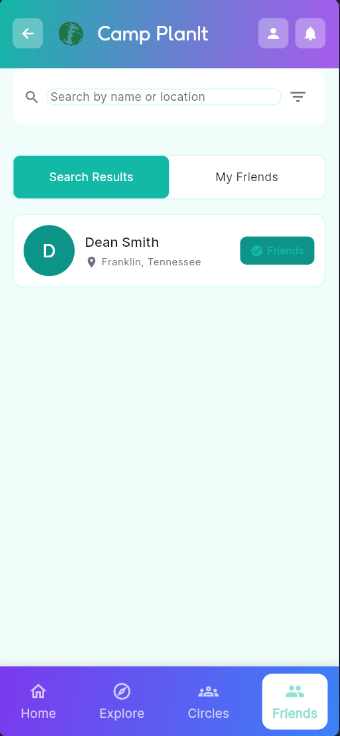
Search for parents by name or location
Sending a Friend Request
- Find the parent you'd like to connect with using the search bar.
- Tap their name to open their profile.
- Tap Add Friend. A friend request is sent to them.
- Once they accept, you'll both appear in each other's My Friends list.
Tip: You can also invite parents who don't have Camp PlanIt yet — tap Invite Friends from your Home screen Quick Actions to send them an email or text invitation.
Viewing Your Friends
- Tap Friends in the bottom navigation bar.
- Tap the My Friends tab at the top of the screen.
- All confirmed friends appear here. Tap any friend to view their profile.
Accepting a Friend Request
When someone sends you a friend request, you'll get a notification. Here's how to respond:
- Tap the bell icon at the top of any screen to open Notifications.
- Find the New Friend Request notification.
- Tap it to expand and choose Accept or Decline.
Removing a Friend
- Go to the My Friends tab in the Friends screen.
- Tap the friend you'd like to remove.
- Tap Remove Friend on their profile and confirm.
Note: Removing a friend will also remove you from any shared Circles you're both in unless you were invited by someone else.