
Carpools
Coordinate rides to and from summer camps with other families — right from the camp's page, without the back-and-forth texts.
Where to Find Ride Coordination
Carpooling in Camp PlanIt is built into every camp's detail page. Open any camp you're planning, scroll down past the Friends Status section, and you'll see Ride Coordination.
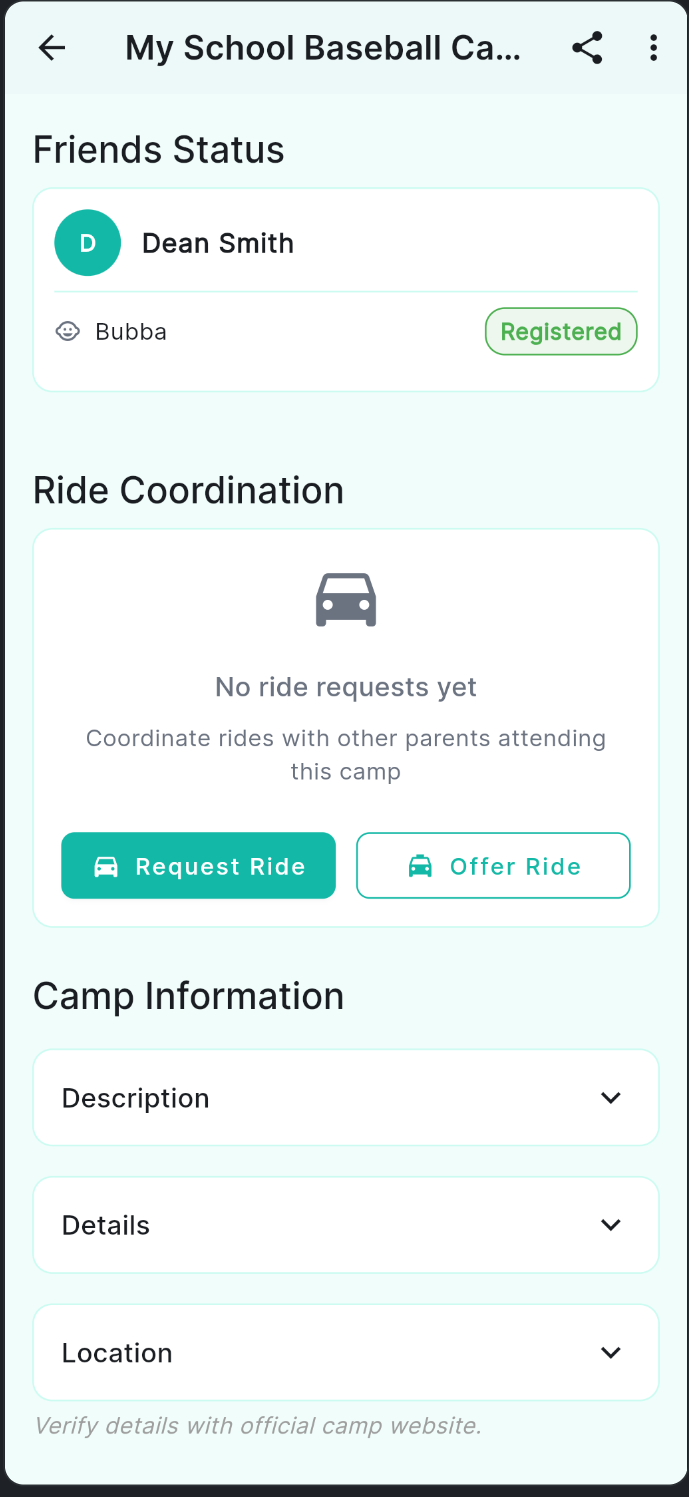
The Ride Coordination section on a camp's detail page
From here you can do two things:
- Request a Ride — Let other parents know your child needs a ride to this camp.
- Offer a Ride — Let others know you have seats available and are willing to drive.
Offering a Ride
If you're driving to camp and have room for other kids, offer a ride so other families can request a seat.
- Open the camp's detail page and scroll to Ride Coordination.
- Tap Offer Ride.
- Fill in your Departure Location — an address or a recognizable landmark works great (e.g., "Neighborhood Street" or "Corner of Oak & Main").
- Set the number of Available Seats using the + and − buttons.
- Select your Departure Time.
- Optionally add a Note with any helpful details — stops you can make, days you're available, etc.
- Tap Submit Offer.
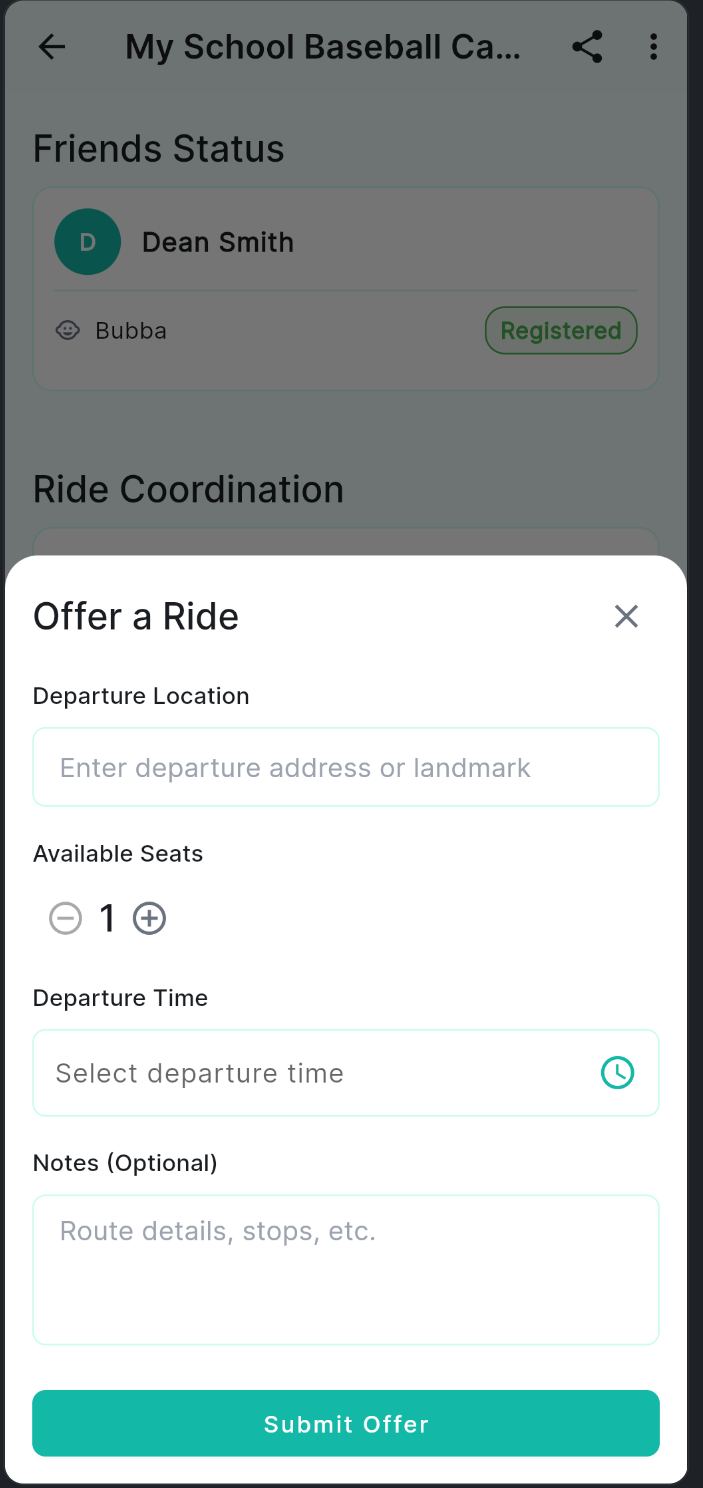
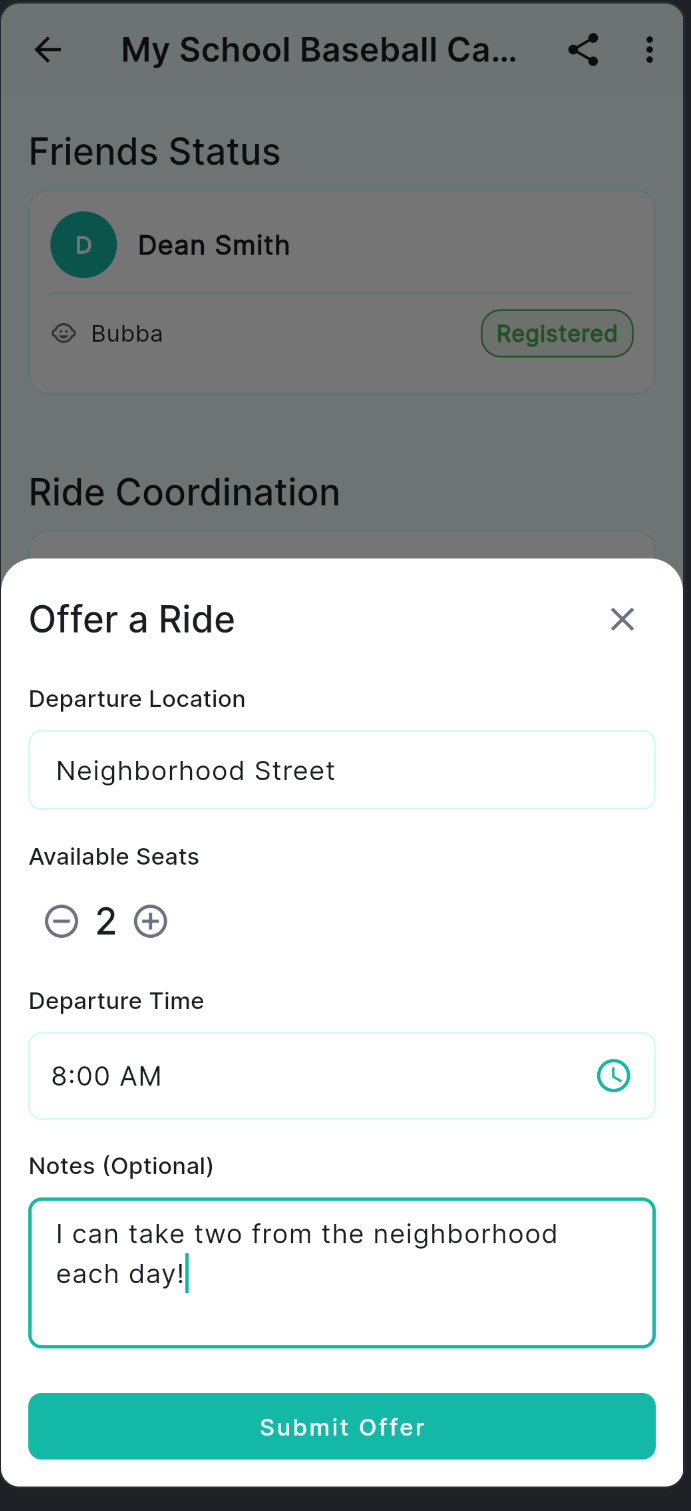
The Offer a Ride form — fill in your details and tap Submit Offer
Once submitted, your offer appears in the Ride Offers section for other parents attending the same camp to see.
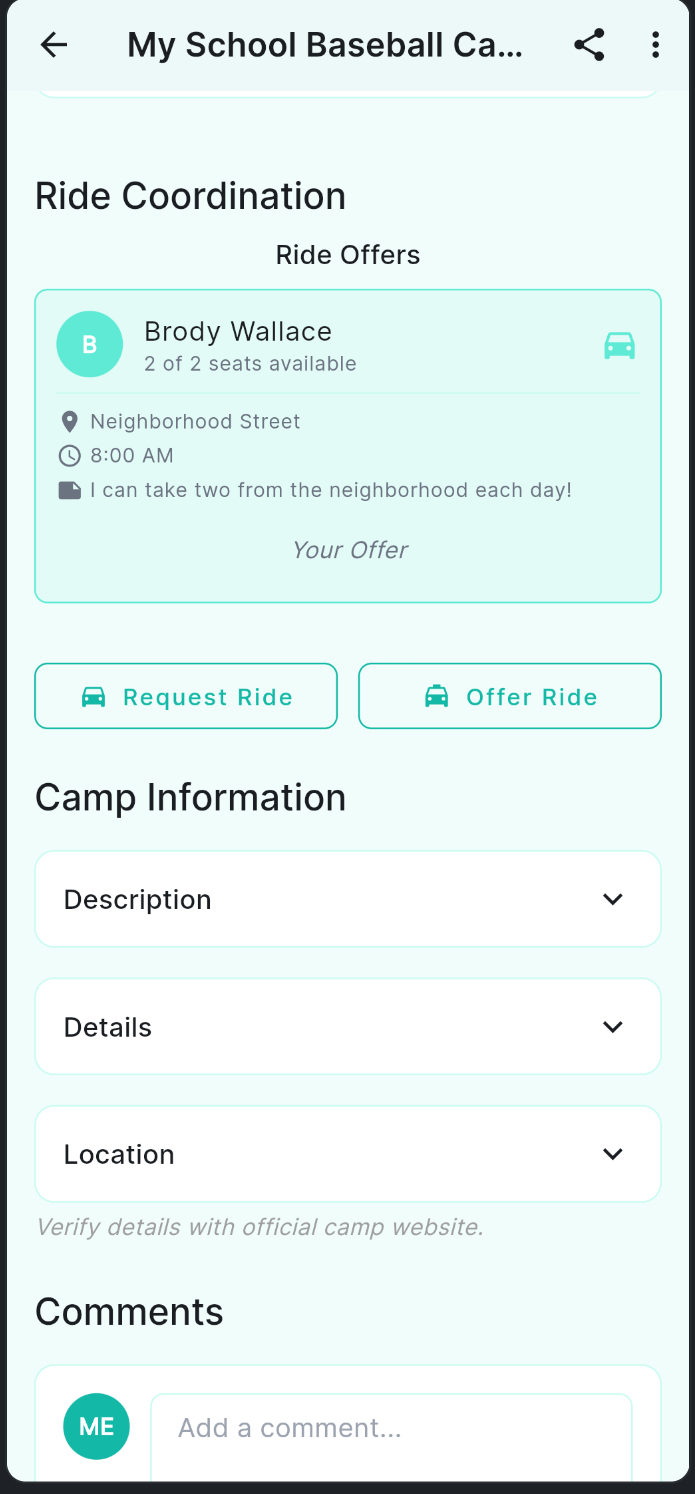
Your offer is visible to other families on this camp's page
Requesting a Ride
Need a ride for your child? Post a ride request so other parents driving to this camp know you're looking.
- Open the camp's detail page and scroll to Ride Coordination.
- Tap Request Ride.
- Enter your pickup location and preferred time.
- Tap Submit Request. Your request appears in the Ride Requests section for other parents to see.
Seeing What Other Parents Are Doing
The Ride Coordination section shows all active requests and offers from other families attending the same camp. You can see who needs a ride and who has seats available — all in one place.
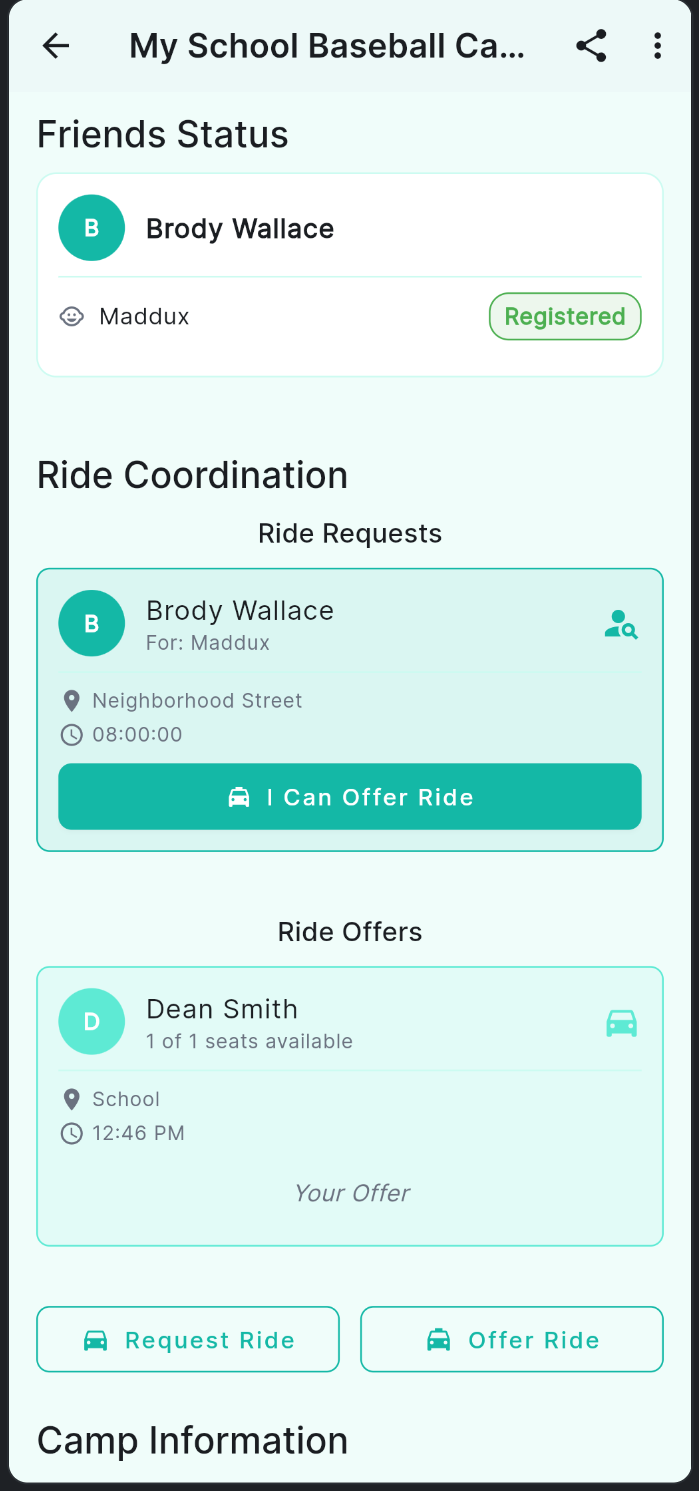
Ride Requests and Ride Offers from other families at this camp
If you see a ride request that you can help with, tap I Can Offer Ride on their request card. The parent will receive your offer and can accept or decline it.
Accepting or Declining a Ride Offer
When a parent responds to your ride request, it will show up as Pending in your Ride Requests section.
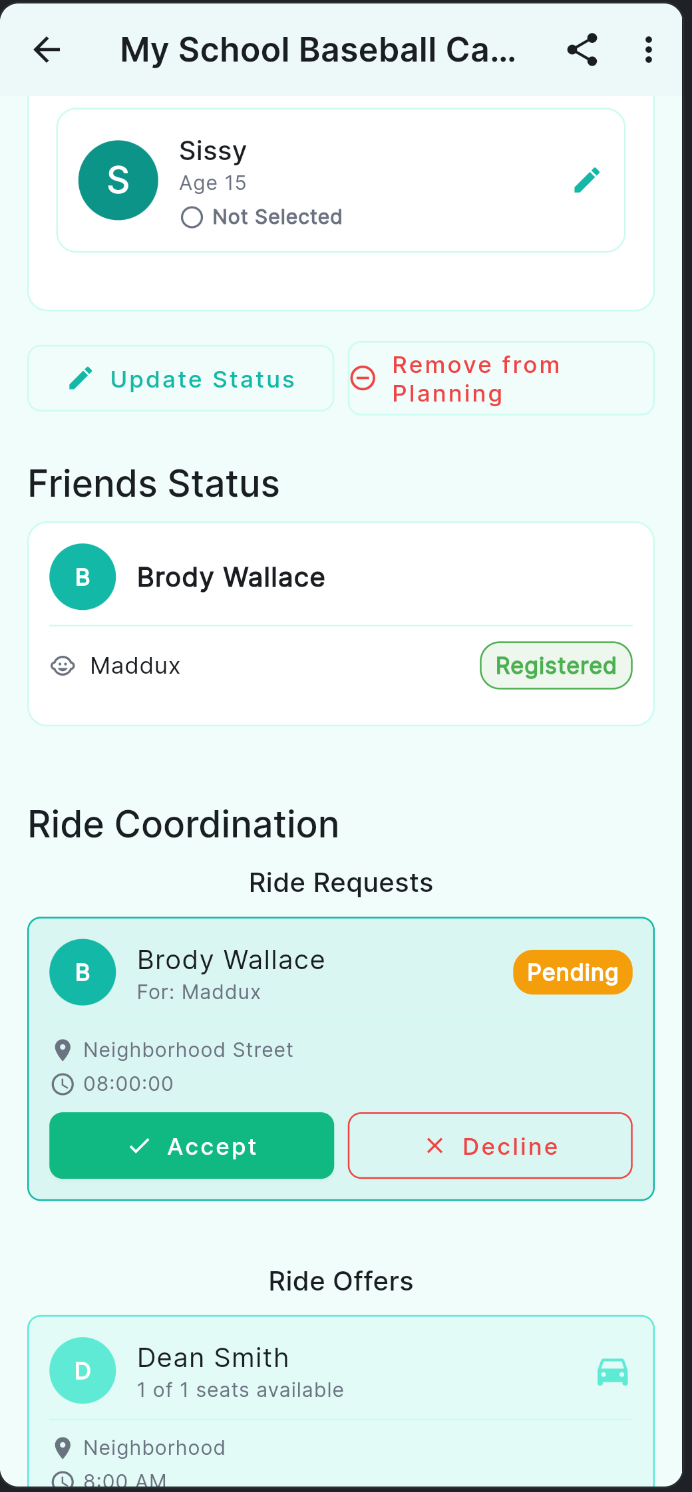
A pending ride offer — tap Accept or Decline to respond
- Open the camp's detail page and scroll to Ride Coordination.
- Find the ride request card showing Pending.
- Tap Accept to confirm the carpool, or Decline if it doesn't work for you.
After a Ride Is Confirmed
Once a ride offer is accepted, the card updates to show Accepted and a Message button appears so you can coordinate the final details directly with the other parent.
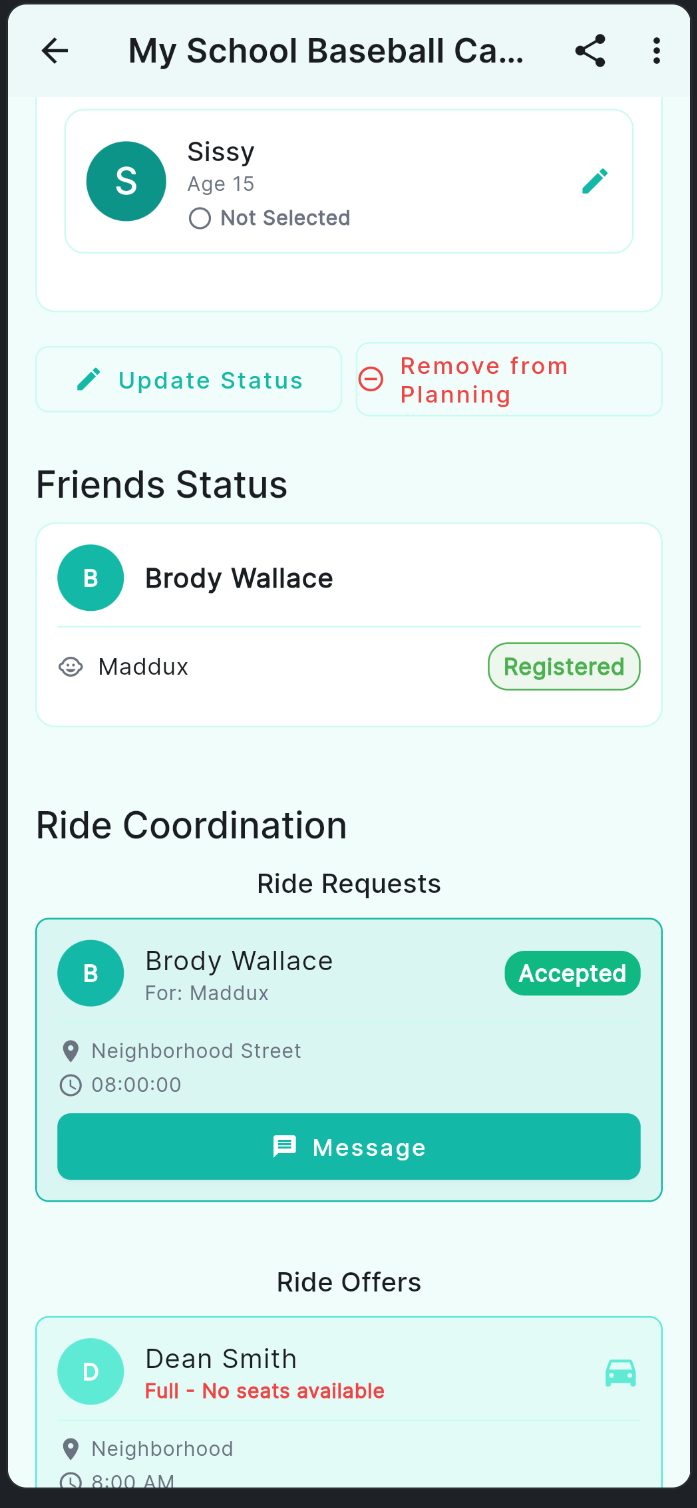
An accepted ride — tap Message to work out the details
Tips for a Smooth Carpool
- Use your real departure location (or a nearby landmark) so families can gauge the route.
- Add a note with helpful context — the days you're available, whether you can also do pickup, etc.
- Once your ride is confirmed, use the Message button to share your phone number or work out day-of logistics.
- If plans change, update or remove your offer so other families aren't left waiting.